Account Management
⚠️ Warning: This action cannot be undone.
This action is permanent and cannot be undone. Game progress, profile data, and in-game purchases tied to the account will be deleted. Transaction records we must keep for law are retained as described below.
💾 Data Deletion Policy
Please understand what will happen to your account and data before proceeding with deletion:
❌ What will be deleted (PERMANENT):
- Your account profile and username
- Game progress and achievements
- In-game purchases and virtual items
- Friends list and social connections
✅ What will be retained:
- Transaction records (for legal compliance) — 7 years
- Anonymized analytics data
Processing time: In-game deletion is processed immediately. Website requests are processed within 14 business days. After the account is deleted, remaining personal data is erased within 30 days, except legally required records.
Two Ways to Delete Your Account
Choose the method that works best for you
Method 1
Delete In-Game (Recommended)
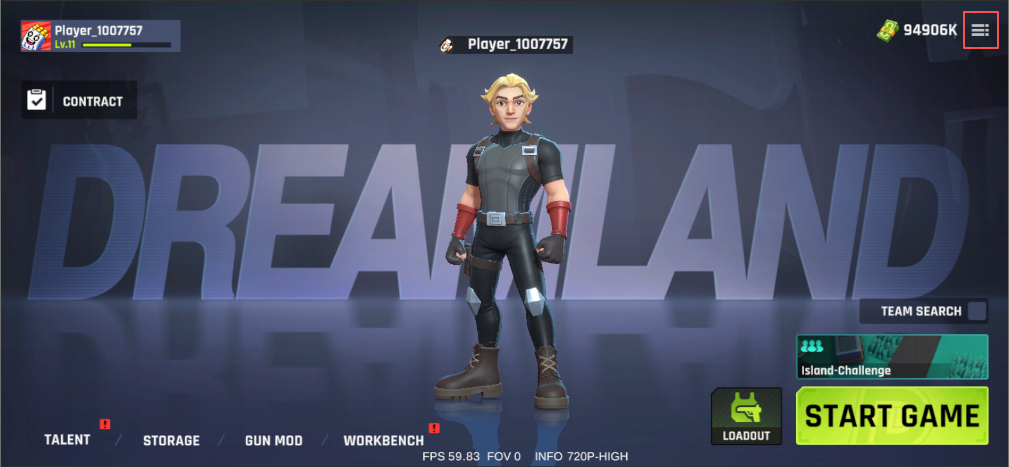
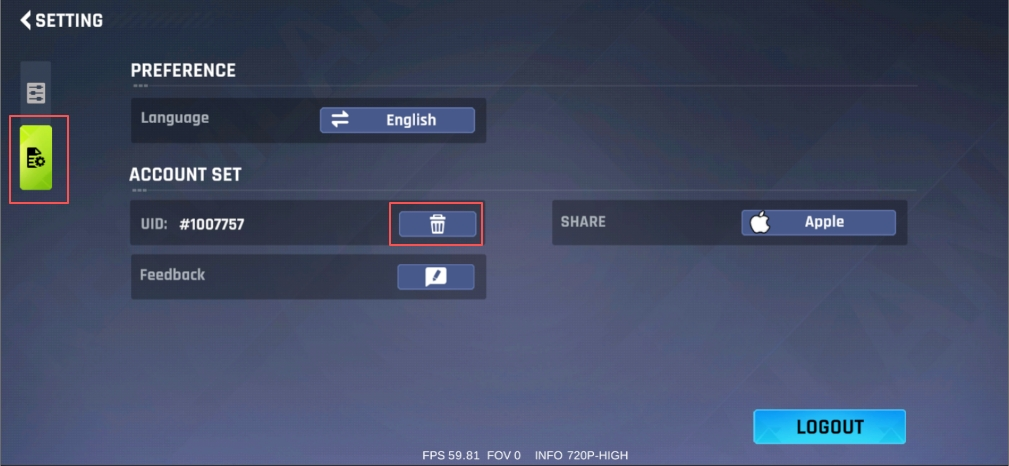
The fastest way to delete your account is directly through the Zap Rush app on your device. In-game deletion is processed immediately.
1
2
3
📱 Follow these steps:
- Open Zap Rush on your device
- Go to Settings → Account Management
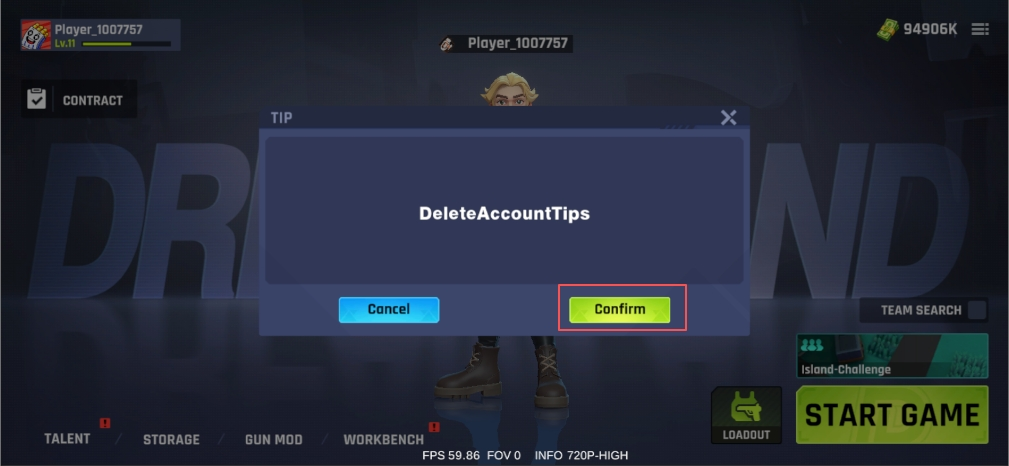
- Tap Delete Account, then Confirm
- Confirm your choice. Your account will be deleted immediately
Method 2
Delete via Website
If you can't access the game, submit a deletion request below. Website requests are processed within 14 business days. You do not need to reinstall the app. Government ID is not required — User ID (UID) is enough.